


DTFPartsStore.com
Optical Fiber Cable
Optical Fiber Cable
Couldn't load pickup availability
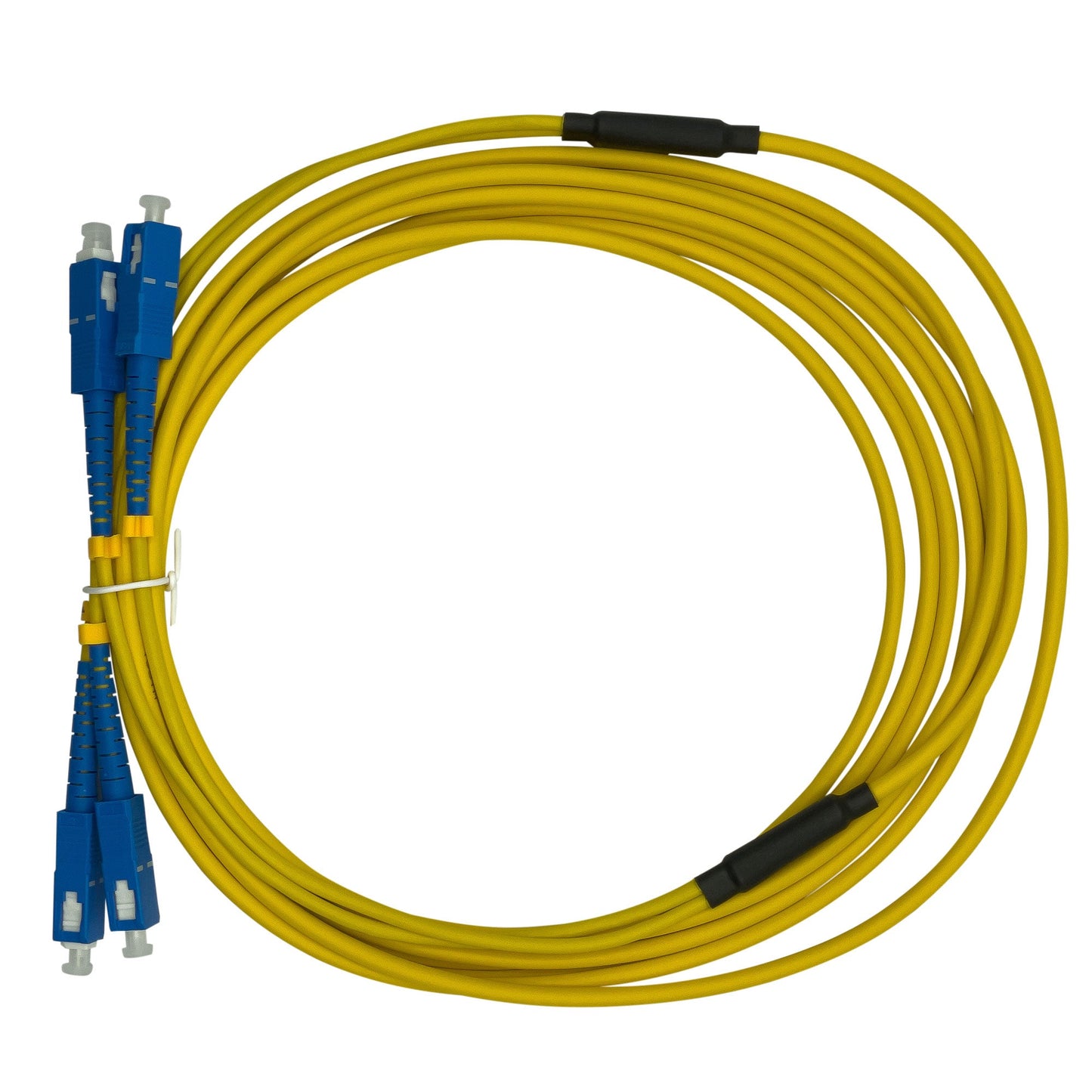
Meet the Optical Fiber—the ultra-fast, high-tech connector between your Hoson Mainboard and Carriage Board! Think of it as the high-speed highway that allows your printer to communicate with lightning precision, ensuring your printhead moves seamlessly and your ink flows smoothly.
This little fiber packs a huge punch—delivering data at the speed of light (okay, maybe not actual light speed, but close enough). Whether you're printing large batches or intricate designs, the Optical Fiber makes sure every move is in sync for flawless prints every time.
So, if you want your printer to run like a well-choreographed dance—smooth, fast, and efficient—this is the part you need to keep things on track! 🚀💡
DTF Parts Store • Repair supportInstallation & troubleshooting
View safety steps and replacement checks
Know what to check, how to prepare safely, and what your technician should verify for this component. Machine layouts and wiring vary by model.
Optical Fiber Cable
Match before replacing:
Part number • mounting • connections
A fault can come from the part, its connections or another system. Confirm the cause before replacing components.
Safety first — before access or repair
Follow the machine’s shutdown procedure. Isolate all power sources and prevent restart using the approved lockout procedure. Control stored energy and let heaters cool fully. An authorized person must verify isolation before work starts. The power button or emergency stop alone does not isolate electrical energy.
Electrical work, heaters and safety controls require a qualified technician. Never work inside a live cabinet, bypass guards or safety devices, or reach into moving rollers or fans. Follow the machine manual and powder/ink safety data sheet for required protective equipment.
Stop & isolate
Shut down, isolate supplies, prevent restart, control stored energy and verify the machine is safe to access.
Inspect & match
Compare the original part number, mounting and connections. Photograph the original arrangement before service.
Replace correctly
Have a qualified technician use the machine-specific service procedure. Preserve the original mounting and routing; use the manufacturer’s specified fasteners and settings.
Verify operation
Refit covers and guards, clear tools and keep people away from moving parts. Have the technician complete the manufacturer’s commissioning checks.
Stop and get help if…
You find burned wiring, repeated breaker trips, damaged safety controls, uncontrolled heating, ink on electronics, a mismatch in ratings, or a diagram that does not match the machine. Keep the machine out of service until a qualified technician resolves the fault.
What to send for model-specific help
Send the machine model and serial label, a clear photo of the original component and its markings, your symptom, and the relevant service-manual page. Take internal photos only after safe isolation by an authorized person. Do not unplug or move wires just to photograph them.
Need the procedure for your machine?
Send your model and original part photos so we can help confirm compatibility and the correct service reference.
Get part-specific help →This is a service planning overview. Use the exact machine and component manuals for removal, wiring, torque settings, calibration and commissioning. It is not a model-specific wiring diagram.