



Honson
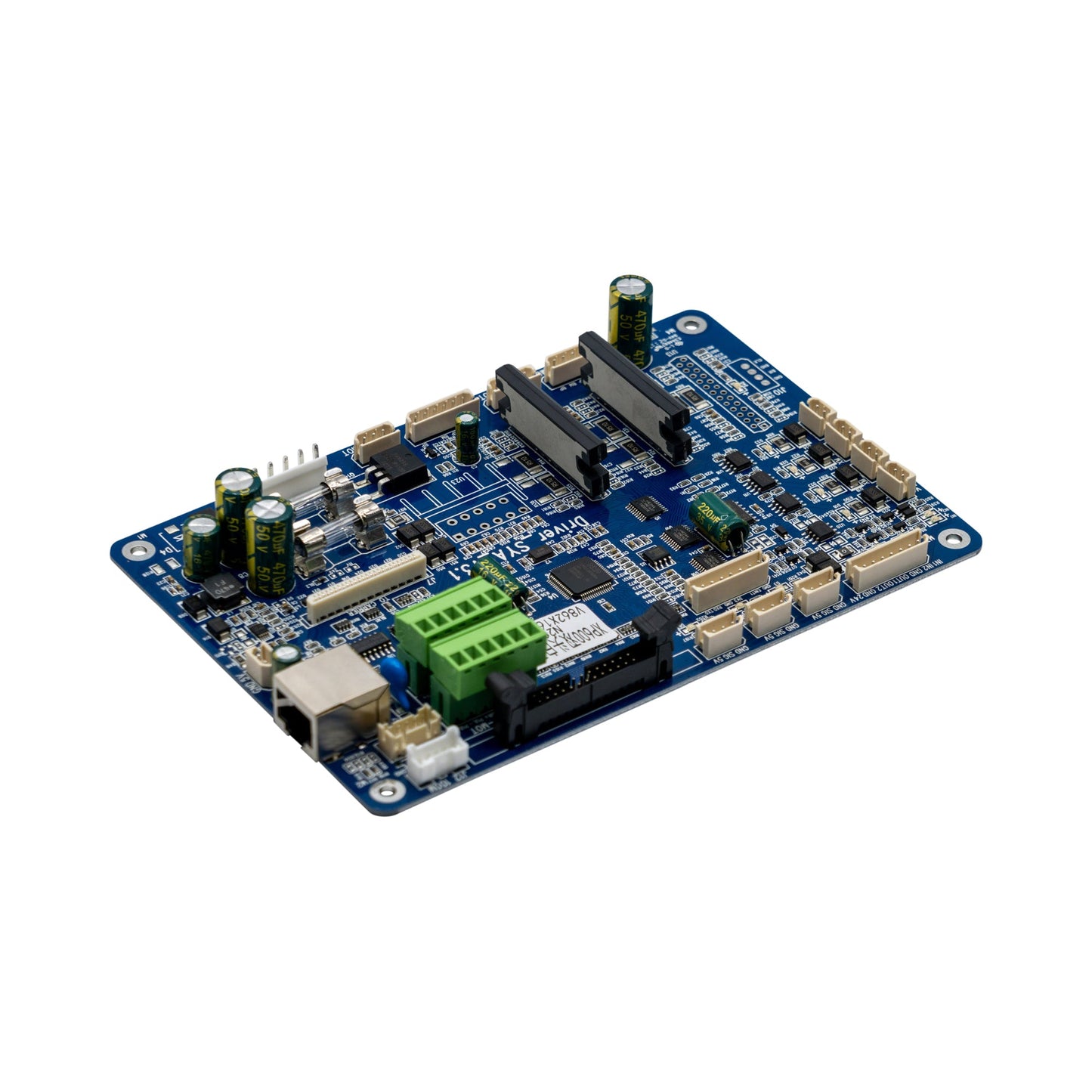
Xp600 Hoson Mainboard
Xp600 Hoson Mainboard
3 business days processing
Shipping time is additional
Couldn't load pickup availability
Introducing the XP600 Main Board—the brain of your Audley Mini 13 DTF Printer! When your printer needs a boost, this is the part that keeps everything running like a well-oiled machine. From controlling the printhead to managing ink flow, it’s the control center that makes sure your printer operates at peak performance.
What You Need to Know:
- Perfect Compatibility: Designed specifically for the 13-inch DTF Printer, the XP600 Main Board ensures smooth, seamless integration—no guesswork, just flawless functionality.
- All About Control: As the central hub of your printer, it’s in charge of managing key operations like ink flow, printhead action, and overall system performance. Think of it as your printer’s "command center," making sure everything runs perfectly.
- Tech-Savvy Installation: While installing this main board is straightforward for tech pros, it’s important to follow proper procedures for safe installation. Not a DIY project for beginners, but if you’re comfortable with printer electronics, you’ll be back to printing in no time!
- No Returns: Since this is a circuit board component, once installed, it’s all yours! Make sure to double-check compatibility and follow installation steps carefully, as we can’t accept returns or exchanges on installed boards.
Why It’s Awesome:
When you need reliable, precise performance from your DTF printer, the XP600 Main Board is the key to unlocking smooth operation and high-quality prints. Keep things running at top speed and ensure your printer is in prime condition with this essential replacement part. 💡

DTF Parts Store • Repair supportInstallation & troubleshooting
View safety steps and replacement checks
Know what to check, how to prepare safely, and what your technician should verify for this electrical control. Machine layouts and wiring vary by model.
Xp600 Hoson Mainboard
Match before replacing:
Exact part / revision • ratings • terminals
Power, heating or control does not operate correctly. A tripped protective device can signal an underlying fault; do not repeatedly reset it or bypass protection.
Safety first — before access or repair
Follow the machine’s shutdown procedure. Isolate all power sources and prevent restart using the approved lockout procedure. Control stored energy and let heaters cool fully. An authorized person must verify isolation before work starts. The power button or emergency stop alone does not isolate electrical energy.
Electrical work, heaters and safety controls require a qualified technician. Never work inside a live cabinet, bypass guards or safety devices, or reach into moving rollers or fans. Follow the machine manual and powder/ink safety data sheet for required protective equipment.
Stop & isolate
Shut down, isolate supplies, prevent restart, control stored energy and verify the machine is safe to access.
Inspect & match
Do not open an energized cabinet. A qualified technician must isolate every supply, control stored energy and verify the circuit is de-energized before inspecting connectors or components.
Replace correctly
Qualified technician only. Use the exact machine schematic and component instructions to match ratings, terminal assignments, board revision and protective functions. Never copy wire colors alone, bridge a safety circuit or increase a breaker rating to stop tripping.
Verify operation
The technician must restore terminal covers and guards and test the affected function and safety controls using the manufacturer’s procedure. For an emergency stop or protective device, do not return to service until its protective function is verified.
Stop and get help if…
You find burned wiring, repeated breaker trips, damaged safety controls, uncontrolled heating, ink on electronics, a mismatch in ratings, or a diagram that does not match the machine. Keep the machine out of service until a qualified technician resolves the fault.
What to send for model-specific help
Send the machine model and serial label, a clear photo of the original component and its markings, your symptom, and the relevant service-manual page. Take internal photos only after safe isolation by an authorized person. Do not unplug or move wires just to photograph them.
Need the procedure for your machine?
Send your model and original part photos so we can help confirm compatibility and the correct service reference.
Get part-specific help →This is a service planning overview. Use the exact machine and component manuals for removal, wiring, torque settings, calibration and commissioning. It is not a model-specific wiring diagram.